v0.8.0 Available Now

Spotify in your terminal

A beautiful, fast, and feature-rich Spotify client that runs entirely in your terminal. No Electron. No bloat. Just pure Rust.

496 Tests
7 Themes
60 FPS UI
joshify
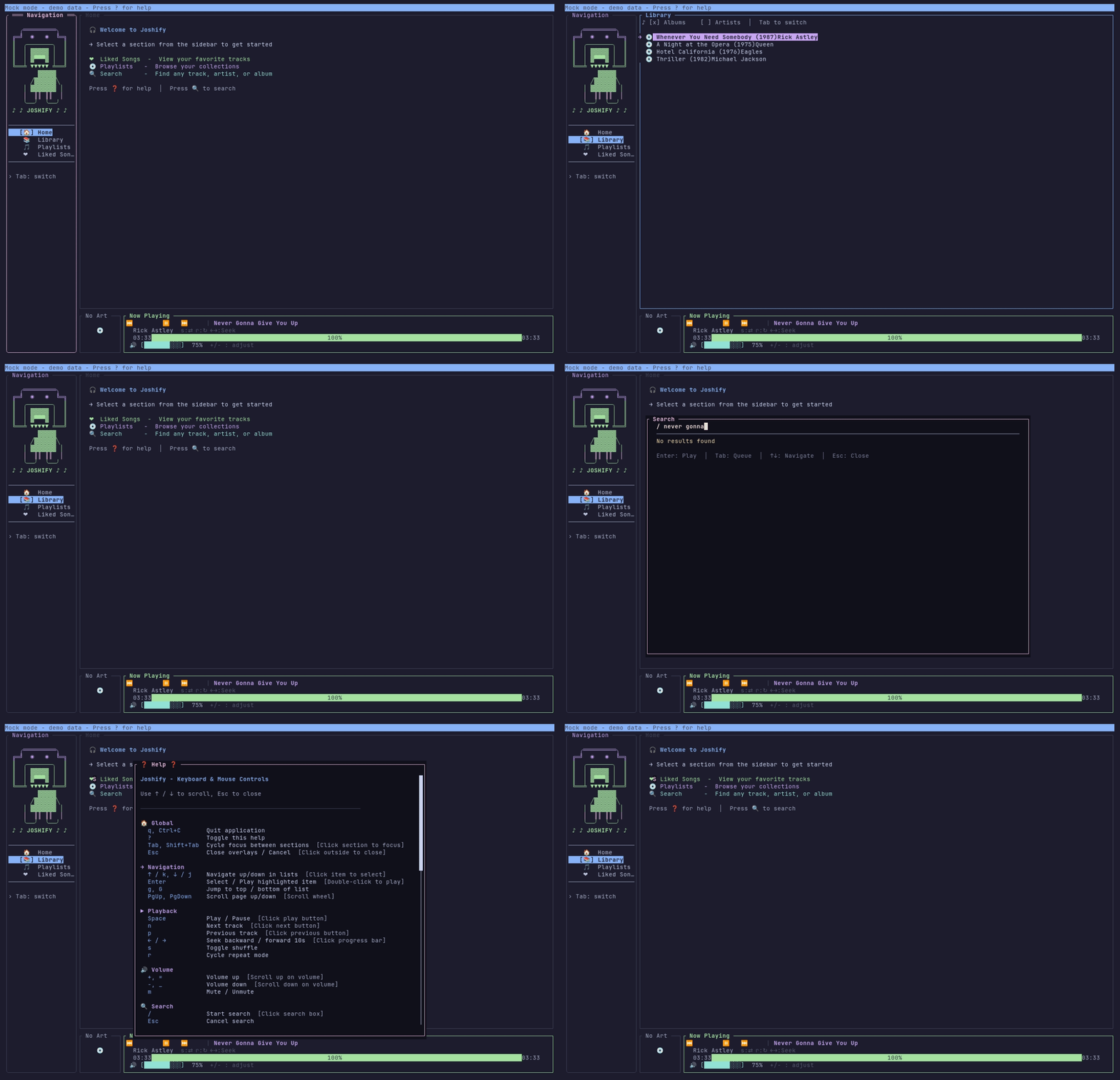
Joshify Terminal Demo

Everything you need

Built from the ground up for terminal enthusiasts who demand speed, beauty, and functionality.

🏠

Local Playback

Play directly through your computer using librespot. No Spotify app required. Premium audio quality with minimal latency.

🔍

Fuzzy Search

Typo-tolerant search with smart relevance scoring. Find tracks, albums, and artists instantly with intelligent matching.

🎨

Album Art

Beautiful album artwork via terminal graphics protocols. Supports kitty, iTerm2, sixel, and ASCII fallback for any terminal.

📊

Audio Visualization

Real-time FFT spectrum visualization with configurable bands. Watch your music come alive in the terminal.

🎤

Synced Lyrics

Real-time lyrics from LRCLIB API. Follow along with your favorite songs as they play.

🎭

7 Beautiful Themes

Catppuccin, Gruvbox, Nord, Tokyo Night, Dracula, and more. Switch instantly with a keypress.

📋

Queue Management

Full playback queue with reordering, removal, and priority handling. Up next and context tracks.

💻

Spotify Connect

Shows up in your Spotify app's device list. Start on your phone, hand off to the terminal and back.

⚡

Lightning Fast

Built with Rust for minimal resource usage. Sub-50ms startup time. 60fps UI rendering.

Get Joshify

Multiple installation methods. Choose what works best for you.

bash
# Install with one command
$ curl -fsSL https://raw.githubusercontent.com/bigknoxy/joshify/main/install.sh | bash

Keyboard First, Mouse Friendly

Vim-style navigation with full mouse support. Navigate with hjkl, click to play, scroll to browse. Your choice.

  • Tab / Shift+Tab to switch sections
  • Space for play/pause
  • n / p for next/previous
  • / to search
  • ? for help
  • q to quit
Catppuccin Mocha
Gruvbox Dark
Nord
Tokyo Night